Take a photo. Set your goal. See how much to eat.
Five moments per meal. None of them take longer than a few seconds. Scroll down to see each one.
Pick a calorie goal for this meal.
Before you do anything else, tell Basta how much you're planning to eat. A snack, a regular meal, or something specific. The number is your anchor for everything that follows.
You can also tell it where you are. Eating out, where restaurant portions tend to skew bigger. Or home, where you have more control over what's on the plate. The setting helps Basta read your meal more accurately.
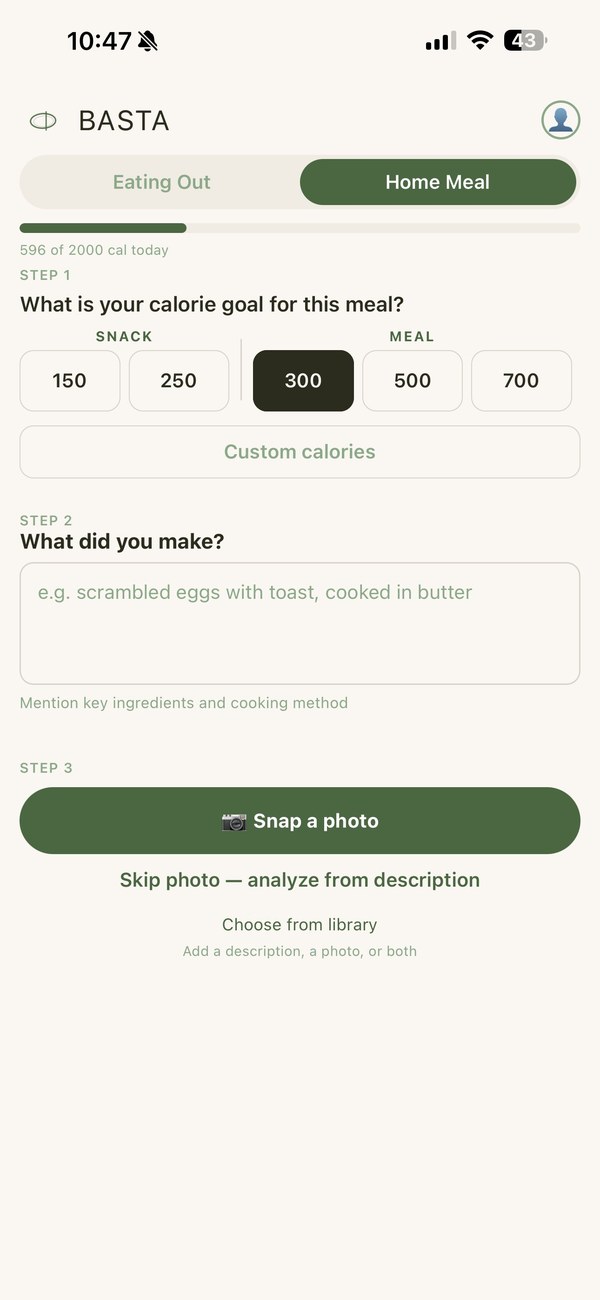
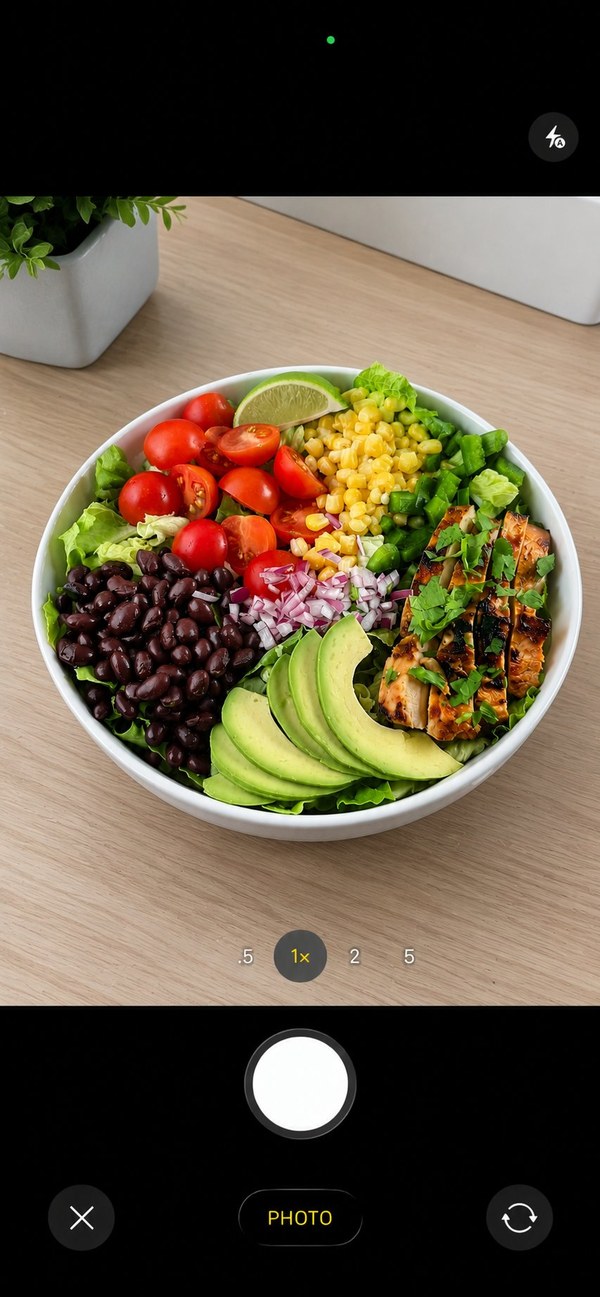
Take a photo, or describe it. Or both.
The camera is the fastest way to get an accurate read, because Basta sees exactly what you see. Tap Snap a photo and frame the plate. That's it.
But you don't have to use the camera. If you'd rather just describe what's in front of you, type it out and tap Skip photo. The estimate runs from your description alone. Wrapped food like a burrito, where the camera can only see the tortilla, often benefits from a written description.
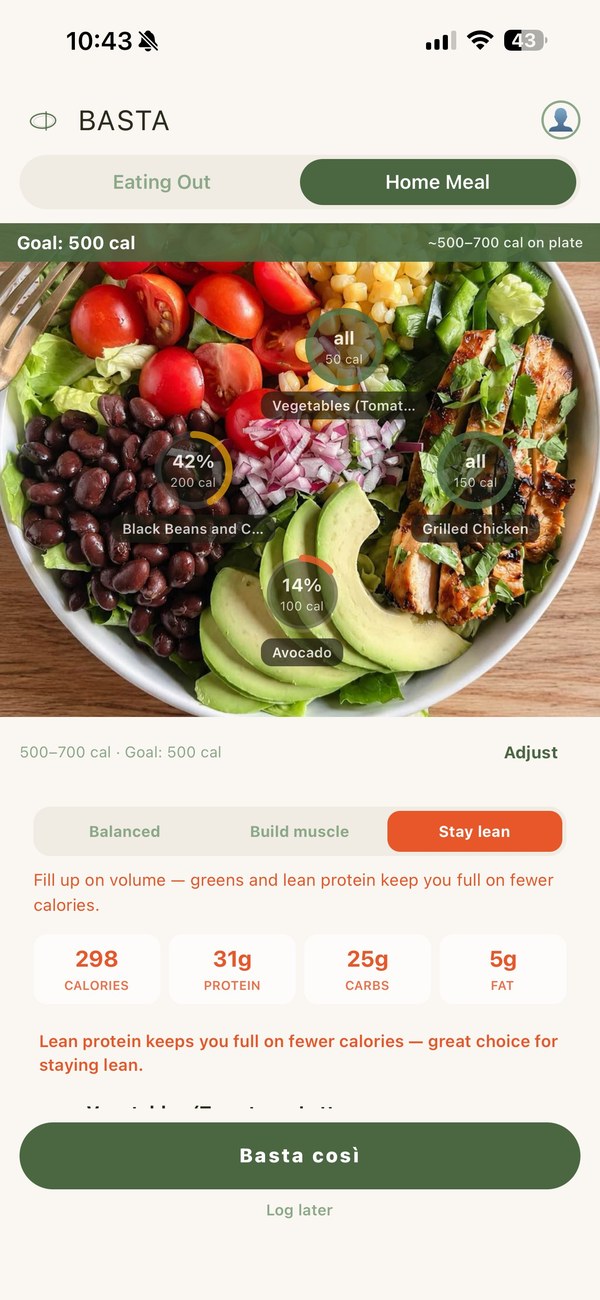
Rings on the food. Three approaches. Same plate.
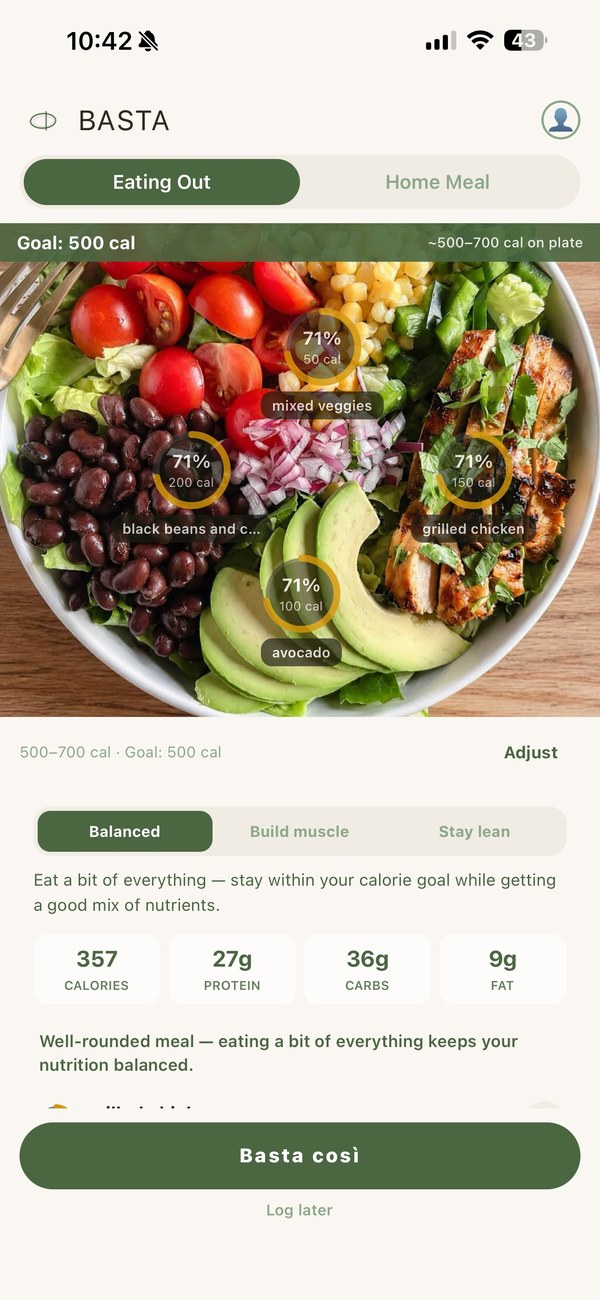
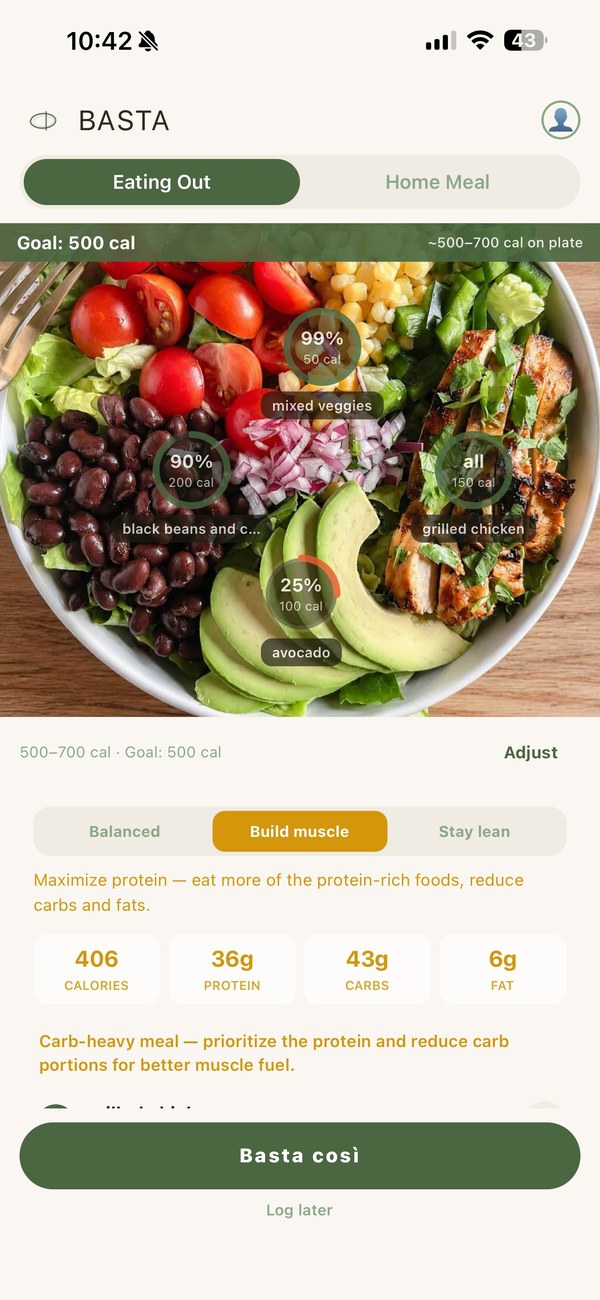
Basta returns your meal as portion rings on the photo. Each ring shows how much of that item fits your calorie goal. The rings update instantly when you switch between Balanced, Build Muscle, and Stay Lean.
The read isn't always perfect. If something looks off, tap Adjust and add what's missing. A sentence of context, the analysis re-runs. Most read errors clear up on the first try.
Tell Basta how it went.
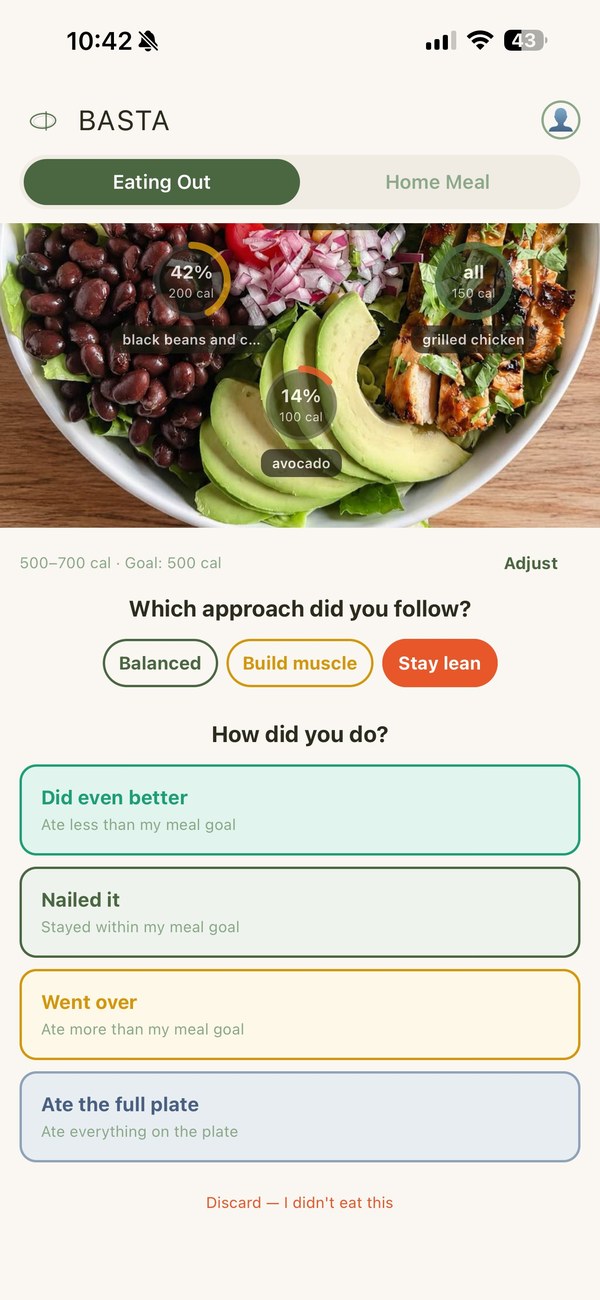
When you're done eating, tap Basta così (Italian for that's enough). Then Basta asks two quick questions: which approach you actually followed, and how it went.
The first question is which scenario you committed to during the meal. Balanced, Build Muscle, or Stay Lean. You might have started with one and switched mid-meal, or stuck with the one you picked from the start. Pick what's truest.
The second question is how your intake compared to that scenario's calorie target:
- Did even better. Ate less than the scenario's target. Counts as a win.
- Nailed it. Ate within the scenario's target.
- Went over. Ate more than the scenario's target, but Basta tracks how much.
- Ate the full plate. Logs the full plate calories regardless of the scenario. Sometimes the meal is the meal.
No streak guilt. Did even better and Nailed it both count as wins. Went over still gets logged honestly. The self-report exists to help Basta give you better guidance over time, not to grade you.
No diary to maintain. The day builds itself.
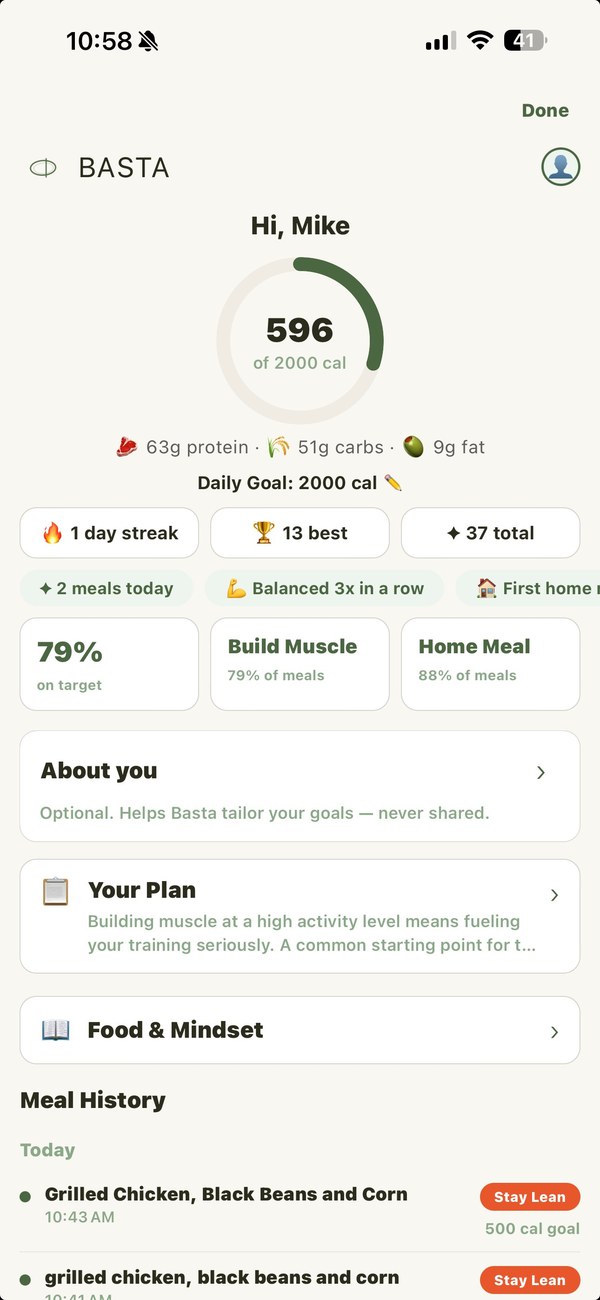
After a few meals, your day takes shape on its own. The daily ring fills as you log meals. Your streak, your meal history, your patterns, all there without you having to maintain a diary.
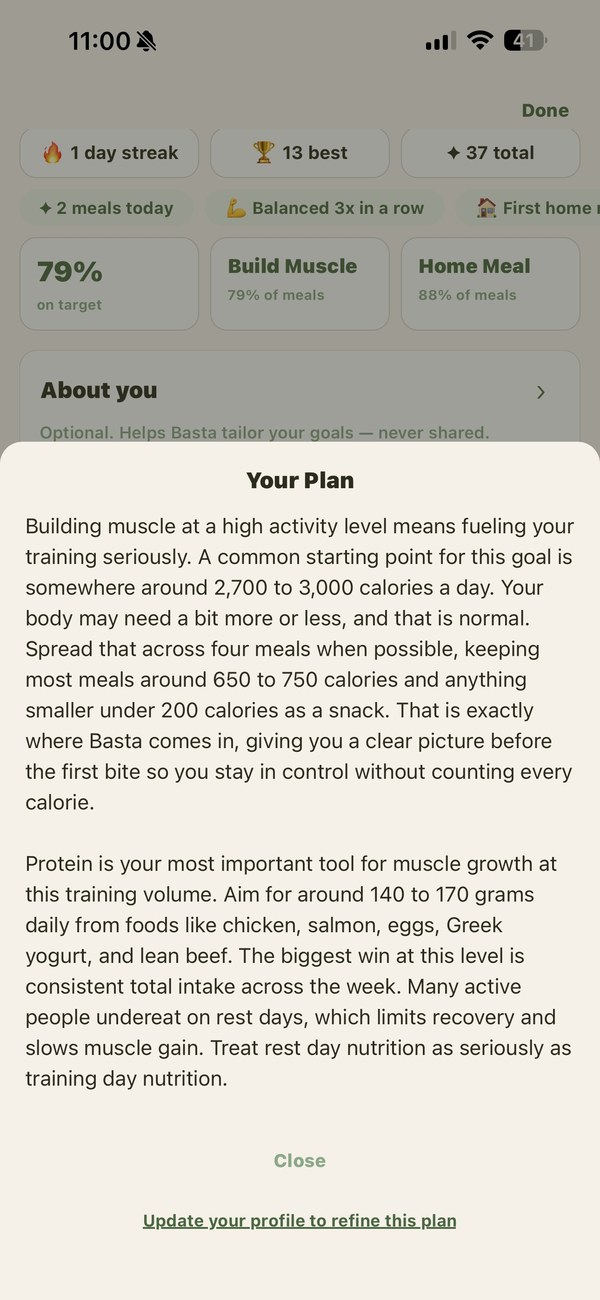
The more you tell Basta about your goal and your routine, the more useful the guidance gets. The Your Plan card on your profile reflects what you've shared. Activity level, primary goal, the way you eat day to day. The plan stays relevant while you focus on the meal in front of you.
One meal. One decision. Done.
No diary to maintain. No barcodes to scan. No streak guilt. Just the decision that matters most: how much of the meal in front of you fits your goal.